
WordPress Plugins That Solve Real Problems, Not Add Bloat
Download practical, business-focused WordPress plugins built for speed, usability, and real-world results. Start free today and upgrade to Pro when you need more power.

IDP Login Shield for WordPress
IDP Login Shield helps secure the most attacked entry point on your WordPress site: the login screen.
Built for site owners, developers, and agencies, this plugin gives you a cleaner, more controlled login system with practical protection features and better branding flexibility. It is designed to reduce brute-force abuse, improve visibility into login activity, and make the login experience look more professional for client sites and branded properties.
View latest changelog
= 2.0.15 =
- Repackaged the plugin for Download Vault using the required root folder: idp-wp-login-shield/.
- Updated the ZIP filename to idp-wp-login-shield-v2.0.15.zip.
- Updated the internal Download Vault product slug to idp-wp-login-shield.
- Aligned the plugin package structure with the Download Vault product configuration.
- Preserved the main plugin file path: idp-wp-login-shield/idp-login-shield.php.
- Confirmed no files exist outside the required package root folder.
- Confirmed version-only release naming with no public build number.
- Preserved Download Vault license and private updater support.
- Confirmed PHP lint passes across all plugin PHP files.
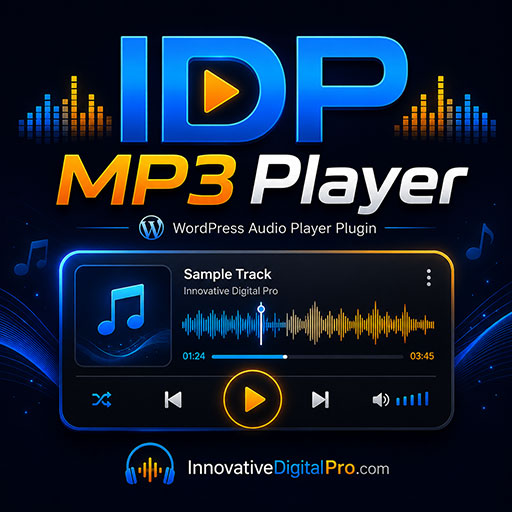
IDP MP3 Player
IDP MP3 Player is a lightweight WordPress audio player plugin that lets you publish and play MP3 episodes in a clean, customizable UI.
It can build a playlist from either:
Tracks you manage inside WordPress (title, MP3 URL, optional cover image), or
Posts that contain MP3 links/audio embeds
It also supports remote mode, so you can embed the player on one site while pulling the playlist from another WordPress site running the same plugin. Includes simple shortcode controls (playlist size, source type, optional cover image display).
Enter your email to get a secure download link for the free version.
View latest changelog
= 1.7.35 =
- Packaging fix for Download Vault compatibility.
- Changed the plugin ZIP root folder from bf-mp3-player to idp-mp3-player.
- Ensured all plugin files are contained inside the required idp-mp3-player root folder.
- No intended playback, visualizer, shortcode, admin, or playlist behavior changes.
- PHP lint check passed.
- ZIP integrity check passed.
= 1.7.34 =
- Plugin Check cleanup pass.
- Fixed remaining WordPress sanitization warnings in playlist track input.
- Fixed remaining WordPress sanitization warnings in playlist bulk input.
- Fixed remaining WordPress sanitization warnings in track URL input.
- Fixed remaining WordPress sanitization warnings in drag/drop reorder IDs.
- Fixed remaining WordPress sanitization warnings in bulk track import lines.
- No intended playback, visualizer, shortcode, admin, or playlist behavior changes.
= 1.7.33 =
- Added GPL-compatible license metadata to the plugin header.
- Added License URI metadata to readme.txt.
- Updated Tested up to header.
- Fixed unsafe REQUEST_URI handling with wp_unslash() and sanitization.
- Fixed nonce and POST input handling in Tracks, Bulk Add, and Playlists.
- Escaped flagged shortcode cover output.
- Escaped flagged Settings output.
- Replaced flagged date() calls with gmdate().
- Made internal title-from-URL helper public to avoid playlist title fallback issues.
- Plugin Check cleanup candidate based on the safe v1.7.30 branch.
= 1.7.30 =
- Removed Reorder Tracks from the admin menu.
- Tracks can be reordered directly from the Tracks list screen.
- Left the underlying reorder handler in place for backward compatibility.
- Cleaned up instructions to avoid pointing users to the removed Reorder Tracks menu item.
= 1.7.29 =
- Added drag-and-drop reordering directly on the Tracks admin list screen.
- Added drag handle column to Tracks.
- Tracks list now defaults to manual order.
- source="tracks" respects saved manual order.
= 1.7.27 =
- Added support for multiple playlists in one player.
- Added playlist selector/dropdown support using playlists="12,34,56".
- Added support for source=playlist and playlist ID loading.
- Added shortcode documentation for multiple playlist embeds.
- Fixed title entity decoding so apostrophes render correctly.
= 1.7.26 =
- Fixed HTML entity display in titles.
- Decoded title entities before sending track/post/playlist data to the player.
- Fixed cases where apostrophes displayed as ’.
= 1.7.25 =
- GOLD baseline.
- Fixed CORS-enabled visualizer track switching to non-CORS audio sources.
- Replaced the audio element when leaving WebAudio/CORS mode to prevent browser playback blocking.
- Preserved real visualizer behavior for CORS-enabled audio.
- Non-CORS audio sources play correctly with visualizer hidden.
IDP WordPress Login Logo Replacer
Replace the default WordPress login logo with your own branded logo in minutes. IDP Login Logo Replacer gives you a simple way to customize the login screen so your site looks more professional and consistent with your brand.
Enter your email to get a secure download link for the free version.
View latest changelog
= 1.7.3 =
- Fixed remaining Plugin Check warning for wpllr_notice validation and sanitization.
- Improved safe handling of admin notice query values.
- Shortened readme upgrade notices to stay under the 300-character limit.
- Kept Free / Pro / Max edition gating intact.
- Kept Download Vault private updater intact.
- Updated stable tag to 1.7.3.
= 1.7.2 =
- Fixed Plugin Check escaping issues in login CSS output.
- Escaped background image URL, logo URL, top spacing, logo width, and logo height output.
- Added nonce protection to internal admin notice redirects.
- Tightened preset and import request sanitization.
- Added missing translator comments for strings with placeholders.
- Prefixed uninstall.php variables to satisfy WordPress naming checks.
- Removed stale idp-wp-login-logo-replacer slug references.
- Confirmed correct package root folder: idp-login-logo-replacer.
- Kept private Download Vault updater intact.
- Updated stable tag to 1.7.2.
= 1.7.1 =
- Fixed Download Vault package root folder.
- Changed ZIP root folder to idp-login-logo-replacer.
- Changed main plugin file path to idp-login-logo-replacer/idp-login-logo-replacer.php.
- Updated plugin slug, folder, text domain, and stable tag to idp-login-logo-replacer.
- Rebuilt Free, Pro, and Max packages for vault upload compatibility.
- Updated version to 1.7.1.
= 1.7.0 =
- Added Free / Pro / Max edition gating.
- Added Edition tab with current edition display and feature matrix.
- Added package fallback handling for Free, Pro, and Max builds.
- Added vault license support for edition, tier, plan, product_edition, license_tier, and product_tier fields.
- Free edition includes logo, logo width, top spacing, background color, license, launch checks, recovery mode, and advanced safety controls.
- Pro edition unlocks background image, overlay controls, login text, form styling, input styling, button/link styling, templates, presets, and import/export.
- Max edition unlocks white-label controls, agency branding, support URL, login footer credit, and client-safe mode.
- Protected locked admin actions so paid-only features cannot be triggered manually.
- Preserved hidden paid settings when a lower edition is active.
- Updated support diagnostics to show current edition and package edition.
- Built separate Free, Pro, and Max package ZIPs from one stable codebase.
= 1.6.1 =
- Added emergency recovery constant: IDP_LOGIN_BRANDING_DISABLE.
- Recovery mode disables login CSS output, custom login messages, footer note, and white-label login footer credit.
- Added recovery-mode status to the Launch checklist.
- Added recovery-mode instructions to the plugin readme.
- Updated support diagnostics to avoid exposing full custom Login Shield routes.
- Updated support diagnostics to avoid exposing the full Vault API base URL.
- Improved launch safety for customer support situations.
= 1.6.0 =
- Added Launch tab.
- Added launch readiness checklist.
- Added support diagnostics report.
- Added copy/download support report actions.
- Added plugin activation version tracking.
- Added optional “Remove settings on uninstall” control.
- Added uninstall.php.
- Preserved plugin settings by default unless uninstall cleanup is enabled.
- Added commercial readme.txt.
- Added plugin metadata for WordPress/PHP requirements.
- Added Launch Check plugin action link.
- Hid Launch, License, and Advanced tabs when client-safe mode is enabled.
= 1.5.0 =
- Added White Label tab.
- Added white-label enable/disable control.
- Added custom plugin display name.
- Added custom admin menu label.
- Added agency name setting.
- Added agency URL setting.
- Added support URL setting.
- Added Support button in the plugin header.
- Added Support link in plugin action links.
- Added client-safe mode.
- Client-safe mode hides License and Advanced tabs.
- Client-safe mode hides license admin notices.
- Added hide/show IDP admin branding control.
- Added optional login footer credit.
- Added custom login footer credit text.
- Added plugin-list white-label display behavior.
- Added export/import support for white-label settings.
- Continued excluding license keys and Vault API settings from export/import.
= 1.4.1 =
- Added automatic last-design backup.
- Added Restore Last Backup action.
- Saved backup before import, reset, built-in template apply, and custom preset apply.
- Fixed built-in template behavior so templates apply cleanly instead of leaving old style values behind.
- Templates now preserve current logo, background image, logo width, top spacing, headline, subheadline, and footer note.
- Strengthened imported media ID handling.
- Added .json file extension validation for import uploads.
- Added safer import upload verification.
- Added file-read failure handling for import files.
- Updated plugin description to mention design backups.
= 1.4.0 =
- Added Import / Export tab.
- Added JSON export for current branding settings.
- Added JSON import by paste or file upload.
- Excluded license data from exports/imports.
- Added saved custom presets.
- Added Save Current Design as Preset action.
- Added Apply Saved Preset action.
- Added Delete Saved Preset action with confirmation.
- Added preset limit protection.
- Added stronger sanitization for imported settings.
- Added upload size and upload error checks for import files.
- Updated plugin description to include presets and import/export.
= 1.3.0 =
- Renamed visible plugin branding to IDP Login Branding Studio.
- Kept update-safe internal structure during the branding transition.
- Added tabbed admin interface.
- Added Logo tab.
- Added Background tab.
- Added Form tab.
- Added Buttons & Links tab.
- Added Templates tab.
- Added License tab.
- Added Advanced tab.
- Added login form styling controls.
- Added form width, background, opacity, text color, border color, border radius, and shadow controls.
- Added input background, input border color, input text color, and input focus color controls.
- Added button background, button hover, button text, link color, and link hover controls.
- Added background overlay color and opacity controls.
- Added background size and position controls.
- Added optional login headline, subheadline, and footer note.
- Added admin preview panel.
- Added Open Login Page button.
- Added Copy Login URL button.
- Moved Vault API base URL into Advanced.
- Added Reset Branding Settings action.
- Added starter templates: Clean Agency, Dark SaaS, Corporate Blue, and Photo Portal.
- Preserved existing license and protected update behavior.
= 1.2.7 =
- Stabilized original login logo replacement build.
- Added custom login logo upload.
- Added logo width control.
- Added top spacing control.
- Added background color control.
- Added background image support.
- Added site logo, site icon, and site name fallback behavior.
- Added Login Shield detection.
- Added license key field.
- Added Vault API base field.
- Added activate, deactivate, and check license actions.
- Added protected update-check wiring.
- Added nonce protection around license actions.
- Improved sanitization and escaping.
- Verified plugin PHP syntax.

Traffic Counter Pro
Traffic Counter Pro is a premium WordPress analytics plugin that tracks website traffic, page views, visitors, and content performance from inside your WordPress dashboard. It includes flexible shortcodes, styled counter displays, leaderboard views, trend tracking, dashboard widgets, palette options, and private license-based updates through the Download Vault.
Perfect for site owners, publishers, agencies, and creators who want clear website activity insights without adding a heavy analytics platform.
View latest changelog
= 1.7.19 =
- Rebranded the package for Download Vault compatibility as Traffic Counter Pro.
- Changed the plugin ZIP root folder to traffic-counter-pro.
- Renamed the main plugin file to traffic-counter-pro.php.
- Updated the main plugin path to traffic-counter-pro/traffic-counter-pro.php.
- Updated the plugin text domain to traffic-counter-pro.
- Updated the internal Vault product slug to traffic-counter-pro.
- Updated version references to 1.7.19.
- Preserved the Download Vault license and private update integration added in v1.7.18.
- Preserved the License & Updates admin tab.
- Preserved license activation, deactivation, license status, and private update checking.
- Preserved Pro features including tracking, shortcodes, palettes, leaderboards, dashboard widgets, Gutenberg blocks, and analytics displays.
- Fixed the Vault packaging issue where the ZIP root folder did not match the product slug.
- Confirmed the package now contains no files outside the required traffic-counter-pro root folder.
- Confirmed PHP lint passes with no syntax errors.
- Confirmed ZIP integrity passes.